

Define the output first
Begin with the question the schedule must answer. A hypothetical structural opening register might show which slab openings are proposed, who requested them and whether structural review is complete. Decide whether the table is internal control, drawing content or a data handoff. Each purpose changes which fields belong and who may edit them. Write one sample row before configuring Revit. Include a stable identifier, location, status, responsible discipline and the minimum useful description. Ask a prospective reader to interpret it without explanation. If two people infer different actions, refine the names or allowed values before building the schedule. A schedule specification should name its audience, update point and responsible owner.
Separate entered and derived values
A schedule may combine values entered on elements, values inherited from types and fields reported by Revit. Make the difference clear. A proposed opening mark can be a project identifier, while level or host information may come from the model. Avoid asking users to retype information that can be read reliably. Key schedules supply repeated value sets; regular schedules report project elements. Evaluate whether the register has finite repeated conditions or unique rows. If using keys, create expected values in advance and test supported fields and version behavior in a sample project. Do not force unique decisions into a repeated-value mechanism. Record which fields are model-derived so reviewers know what needs manual confirmation.
Choose the Revit data structure
Select the category and parameter binding that match the objects. A schedule that cannot see a field invites duplicate fields and manual workarounds. If a value must appear in a tag, check whether it needs a shared definition; if it is only schedule data, another parameter route may fit. Verify field availability in the schedule editor. For an opening register, define whether openings are hosted families, voids or another project convention. A schedule can report only elements it can enumerate. Test each expected family before rollout. Specify exclusions and provide a separate review route instead of silently omitting objects. Keep a test schedule with all audit fields visible while developing the schema.
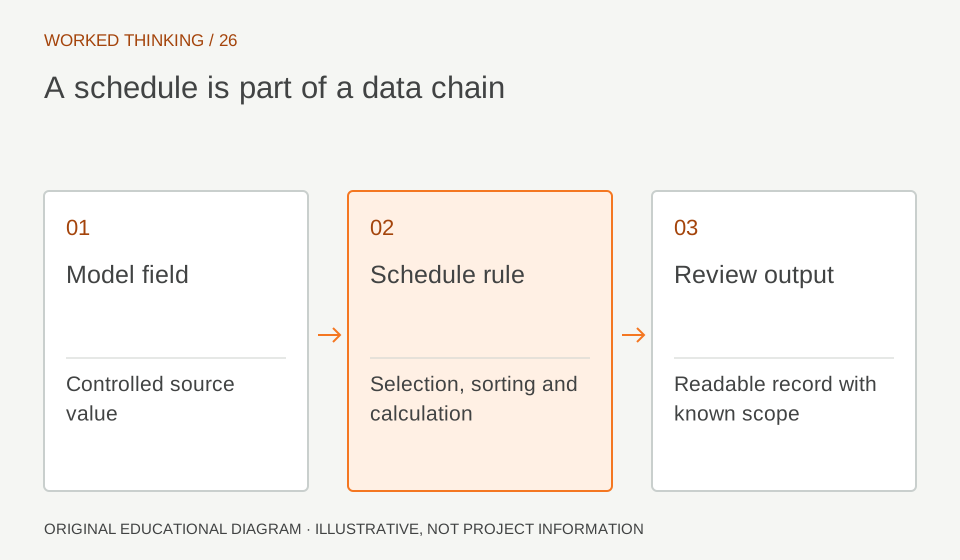
Read diagram notes
- Model field
- Controlled source value
- Schedule rule
- Selection, sorting and calculation
- Review output
- Readable record with known scope
Control external editing
External reviewers may prefer a spreadsheet. If data is exported and reimported, treat the exchange as a controlled transaction. Preserve a stable row key, protect identifiers and record the export date and model revision. Define which columns may change and how conflicts are resolved. Before importing, compare returned and outgoing files. Confirm rows still map to intended elements, identifiers remain unique and values match allowed options. Test the round trip on a model copy with a few records. Reimport capability does not remove the need to check mapping or resolve concurrent model changes. Maintain a pre-import copy and note who authorized each update.
Maintain working and issue views
The team often needs more columns during development than a drawing reader should see. Maintain a working schedule exposing audit fields, ownership and incomplete values. Create a separate issue-facing schedule with audience-relevant information. Both should derive from the same model data and have unmistakable names. Use filters and sorting to expose blanks, unresolved states or missing owners. Avoid hiding incomplete records from the only schedule the team checks. Temporarily show the fields used by filters. Compare the schedule against a known selection so you can detect omissions. Before issue, verify that hiding columns did not change filters or grouping.
Reconcile before issue
At each milestone, review the schedule against the model and approved design information. Sample rows across levels, types and states. Confirm identifier mapping and current values. Ask discipline owners to resolve stale or conflicting entries. A reconciliation record can note scheduled total, exceptions, reviewer and date. Counts are useful but do not prove completeness; category or filter errors can produce plausible totals. Keep the check focused on traceability: can a reviewer navigate from a row to an element and back to an authoritative decision? Preserve unresolved items and state their disposition rather than clearing a status to make the table appear complete.
Set limits and ownership
Schedules report model information; they do not approve the engineering represented. An “Accepted” value needs a defined authority and evidence trail. An opening listed as reviewed does not establish reinforcement, edge distances or sequencing. Assign an owner for the schedule definition and a technical acceptance role where appropriate. Document field meanings, allowed values, update timing and external sources. Revisit when categories, families or project scope change. This makes a schedule a maintainable workflow while keeping design decisions with the responsible engineer. If the information is contractual or used for procurement, agree the measurement or acceptance basis separately.