

Agree a shared-file routine
Before several people edit a model, agree where the authoritative workshared model lives, how each person opens it and how changes return. Revit’s central/local arrangement supports multiple users working locally and synchronizing, but the team still needs a routine for when and why it syncs. In a hypothetical team, one modeller owns core framing, another foundations and a checker reviews sheets. Write down file location, naming, access and opening procedure. Make sure users can identify the current model and whom to contact before relocating or replacing it. A short routine prevents uncertainty becoming a model-management issue.
Open the intended model deliberately
In a local/central workflow, create a local copy through the intended Revit process instead of casually editing the shared file as a standalone model. Confirm that the project opens as workshared and that the local copy relates to the correct central model. A filename alone is not proof. Check project guidance before changing local settings or using another collaboration platform; cloud workshared models have distinct procedures. Keep workflow matched to the environment and version. If a user sees an unexpected prompt or cannot confirm the source, pause and ask the model lead rather than saving an improvised duplicate.
Synchronize with a purpose
Synchronization sends local changes to the shared model and brings in others’ changes. Agree checkpoints: before a major handoff, after a defined work package and at the end of a work period. Cadence depends on team size, network and practice. Frequent syncing can interrupt; infrequent syncing leaves colleagues on older information. Before syncing, review the change summary and resolve material warnings. Coordinate level, grid or broad family changes with affected users because they may alter shared assumptions. A short message about scope and impact helps; worksharing alone does not resolve consequences.
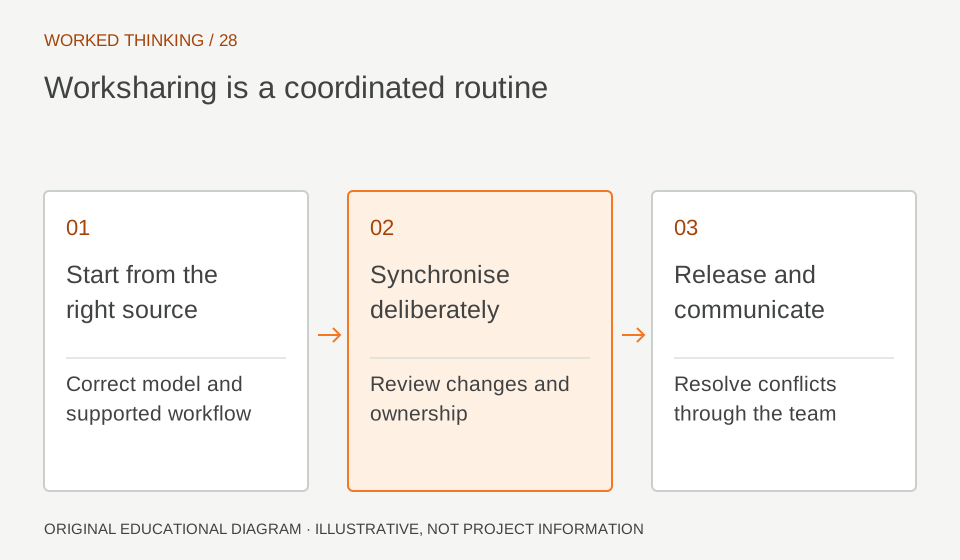
Read diagram notes
- Start from the right source
- Correct model and supported workflow
- Synchronise deliberately
- Review changes and ownership
- Release and communicate
- Resolve conflicts through the team
Resolve ownership collaboratively
If another user owns an element, treat the warning as a coordination signal. Identify the element and owner, then agree whether they should relinquish, make the change or transfer responsibility. Do not repeatedly force ownership or create a second untracked copy. A column may be controlled by a modeller updating a core zone. A person preparing a section can coordinate the request and explain impact. Ownership manages editing access; it does not establish design correctness. Technical approval and worksharing permission are separate questions.
Give worksets a purpose
Worksets can organize shared content and links, but should not become universal layers. Define them around practical needs such as linked disciplines or meaningful model divisions. A small unshared model may need little structure; a large project may need zones. Test how the arrangement supports opening, visibility and responsibility. If the goal is to color steel differently from concrete, a view filter may be clearer. Document whether worksets support ownership, loading or visibility so teams do not infer rules that were never agreed.
Protect recovery
Establish an approved backup and recovery process with the BIM lead. Keep copies within data-management rules. A timestamped local file is not equivalent to an approved central backup or safe replacement. If the central model is unavailable or appears damaged, stop routine edits and follow the recovery procedure. Record the last successful synchronization, users involved and error message. Someone who understands the central model and backup state should make recovery decisions. Avoid ad hoc copies that split the team across competing versions.
Close with a handoff
At day’s end, synchronize completed work as agreed, relinquish ownership per policy and leave a concise note about unresolved issues. The next user should know which zones changed and whether elements need review. Keep notes factual: what changed, where, when and who should inspect. Synchronization is not approval. A stable routine improves timing and visibility of edits; the discipline lead still verifies design intent and the checker reviews issue views and schedules. For a change affecting several people, include a small impact list: affected levels, linked views, schedules and expected reviewers. This lets the next person focus attention where model dependencies are most likely. If the central model’s state is uncertain, record that explicitly rather than reporting a routine handoff. Close any temporary workarounds and identify who will confirm the final result.