

Decide why each exists
A workset should have a stated operational purpose. Reasons can include managing links, supporting agreed model divisions or controlling a defined workflow. “We use them like layers” is not a purpose. If one does not help collaboration, loading or responsibility, consider whether it adds value. In a model with one structural file and architectural and MEP links, separate worksets for references may help users manage them. A single modeller with no links may need very little. Choose the simplest arrangement that meets real needs and can be explained in onboarding.
Name by discipline and action
Use names that communicate the convention without tribal knowledge. Prefixes can identify linked content; zone names may support a large project. Avoid ambiguous abbreviations or labels differing only by punctuation. Document each workset’s purpose and owner. A name does not guarantee that all elements are correctly assigned. Users can place objects inconsistently. Include representative checks: inspect members and links, then correct misplaced content. Align taxonomy with the project naming standard rather than creating a second vocabulary. Make naming stable enough for teams to recognize it in linked-model dialogs and project guidance.
Keep grids and levels predictable
Shared references such as levels and grids matter to linked disciplines. Agree where they reside and how visibility is handled. This can reduce duplicated references and clarify ownership. Do not assume one workset arrangement fits every linked setup. Test the linked model and view configuration in plan and section from the receiving discipline’s perspective. If grids overlap or disappear, diagnose link display and workset settings rather than masking the issue with one-off overrides. Record the intended result so others can reproduce it.
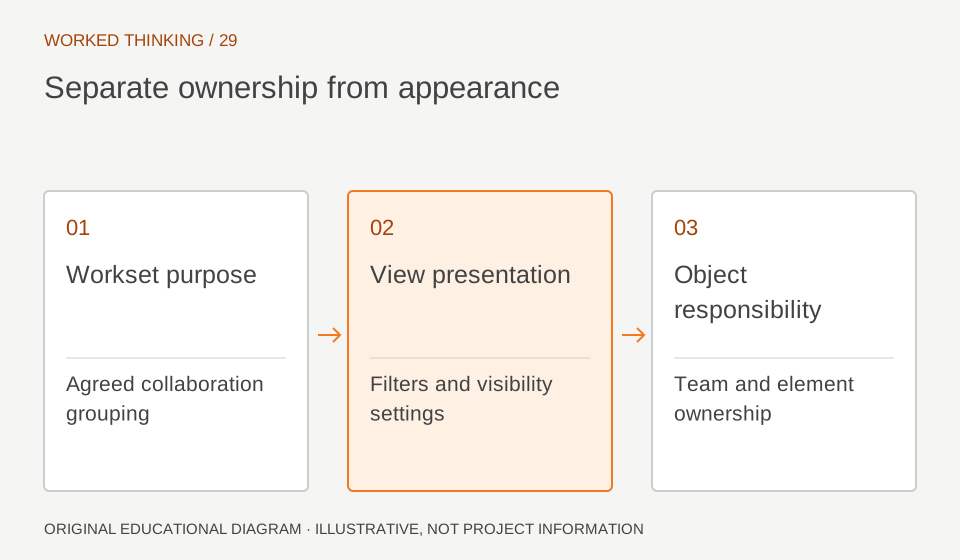
Read diagram notes
- Workset purpose
- Agreed collaboration grouping
- View presentation
- Filters and visibility settings
- Object responsibility
- Team and element ownership
Separate loading from graphics
Closing a workset for a user’s local session and making it invisible by default have different implications. One can be a local choice; the other may change project-wide visibility. Teams should understand the distinction in their Revit version and agree who can change defaults. For consistent graphics on issued views, use view templates, visibility settings and filters when appropriate. If concrete needs a particular line treatment, a view rule is easier to inspect than membership on a workset. Worksets can manage content; they are not a substitute for graphic standards.
Use zone divisions carefully
Large buildings may benefit from zone divisions when users need to manage ownership or loading. Align divisions with real work packages and handoffs. Avoid a workset for every floor or element type unless a requirement justifies the overhead. Trial the scheme with several users: can one edit west while another edits east? Can the checker open views easily? Do links remain manageable? If elements are regularly misplaced, simplify or improve onboarding. A taxonomy that exists only in a standard has not solved the operational issue.
Audit linked references
Maintain a short list of links, their worksets, expected visibility and responsible contact. Confirm each received model uses the agreed location and revision. Check unloaded or duplicated references at milestones. Workset status cannot establish that a link is current or coordinated. Compare its revision against the transmittal and verify model position and visibility. Report mismatches through coordination. This keeps worksets useful without mistaking them for a complete information-management system.
Govern and teach changes
The BIM lead should own changes to names and project-wide defaults. Coordinate changes because they can affect links, views and habits. When structure changes, explain what changed and whether existing elements need reassignment. Give new users a short exercise in a test copy: find links, open a view and distinguish local from project-wide visibility. Record unanswered questions. Success is not workset count; it is whether users understand organization and make edits without hidden inconsistency. A practical check is to ask a modeller to locate the structural link, close or show it for their own session, then restore the agreed view. Ask a second user to confirm that a local loading choice did not alter the project-wide default. This exposes misunderstandings before a milestone. Keep the exercise and naming map near the template or project onboarding notes so new staff encounter them at the point of use.