

Map the collaboration problem
Start with the friction the project needs to solve. Is the team distributed? Do consultants need controlled access to published models? Is the need issue assignment, model viewing or simultaneous authoring? These requirements differ. For a hypothetical hospital structure, the design team may work in a shared structural model while other disciplines exchange published revisions. List each role, its action, information received and approval boundary. Do not begin with a product name. Define success for each participant and test whether the proposed environment supports it.
Distinguish access modes
A cloud-stored model is not automatically multi-user workshared. Some cloud workflows support a single user editing a non-workshared model; workshared cloud models support multiple contributors under specific product and license conditions. Confirm the distinction in current Autodesk documentation and tenant configuration before selecting a workflow. Product names and licensing change. Record entitlements for each role. A project manager reviewing published information may not need the same access as a Revit author. Do not promise capabilities based on an old article or similarly named subscription. Confirm that consultant accounts can perform the tasks assigned to them.
Design a publishing boundary
Decide what becomes visible to other disciplines and when. Set a cadence and identify who checks a package before publication. Keep work in progress distinct from approved shared information using the selected platform’s tools. A package should communicate model identity, revision, date, scope and known limits. A structural model shared for coordination may still contain unapproved secondary steel. State this so another team does not mistake it for construction issue. Cloud storage makes files accessible; it does not make status self-evident.
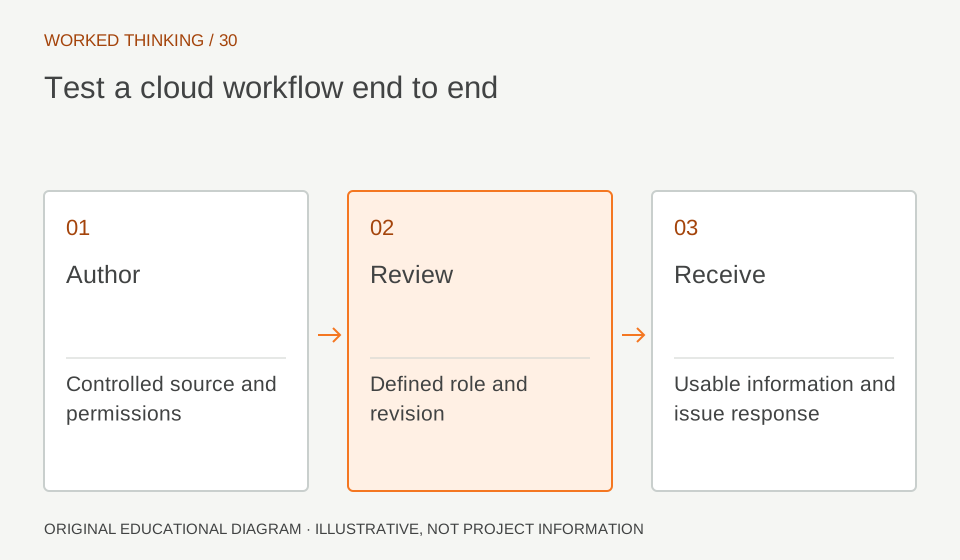
Read diagram notes
- Author
- Controlled source and permissions
- Review
- Defined role and revision
- Receive
- Usable information and issue response
Set permissions by role
List who can view, download, mark up, publish and administer each model or folder. Apply the simplest permission scheme that meets project needs. Test access with a representative external account. Confirm reviewers can see the right information and cannot publish over the controlled model. Follow client environment and data requirements. Verify external onboarding and offboarding. If access cannot be granted or revoked reliably, fix that before relying on the platform for a critical handoff. Keep responsibility for administering permissions explicit.
Use coordination with decisions
Clash tools identify candidate issues across models; a clash list is not a resolved design. Agree scope, tolerances, run timing and ownership. Prioritize by impact and decision needed, not raw count. An apparent beam-duct intersection may be real, temporary or an intended opening missing from one model. The structural engineer reviews context before changing framing. Assign an owner and due date through the accepted issue system, and link each issue to model versions for traceability. Record disposition so the same candidate does not return without context.
Plan versions and recovery
Establish how to identify current published versions, retain revisions and restore a model. Confirm available history and recovery procedures in the actual environment. Cloud backups do not remove project record requirements. Test version comparison or restoration in a sample if the workflow depends on it. Record procedure, administrator and escalation route. Use clear folder and model names to distinguish design, coordination and archive. A robust workflow makes revision status easy to determine without relying on memory.
Verify at kickoff
Pilot one structural model and one linked discipline. Test opening, authoring, synchronization, publication, permissions, issue assignment and review from actual participant roles. Record versions, licenses and limits. Review current vendor terms; old pricing and product bundles are not current facts. Ensure the environment meets client and company governance. The pilot validates workflow fit, not design or future service availability. Revisit if scope, team or security requirements change. Keep outcomes and unresolved constraints visible to the project manager. Add a handoff rehearsal: publish a test structural revision, ask a consultant to find its status, then submit a sample issue against that exact model version. Confirm the project team can distinguish current from superseded information. Document the names of folders, package labels and status fields that users must recognize. If a participant cannot complete the sequence unaided, simplify the instructions or permissions before adopting the environment.