

Check whether groups fit
Groups can represent repeated arrangements, but bring constraints in editing, variation and reporting. Confirm which elements repeat and which vary by level, grid, pour sequence or design decision. A bay with frequent exceptions may be clearer as individually modelled content. In a parking structure, a typical bay may be grouped while edge bays and transfer zones use another approach. Identify expected variations and test before committing. Decide whether schedules need group instances, nested members or both; these are different reporting questions.
Know what the schedule reports
A schedule may report group instances rather than nested elements. Confirm which categories and fields are available in the project version and what is actually counted. Build a test with a group and a second instance. Compare the schedule to selecting the group and inspecting contents. If downstream users need member marks or quantities, decide how that information will be provided. A module count may suit early planning but not detailed coordination or procurement. Keep a test record that states the exact category and fields used.
Design data before code
List information needed for each group instance and nested member. Shared or project parameters may be required for consistent fields; instance variation must be configured deliberately. Confirm bindings and definitions in a test file before scripting. Choose stable identifiers. A group instance may need zone and module ID, while a nested column needs a member mark. Explain whether IDs persist after copy, mirror, replace or ungroup. The script should implement an agreed convention, not invent one through code.
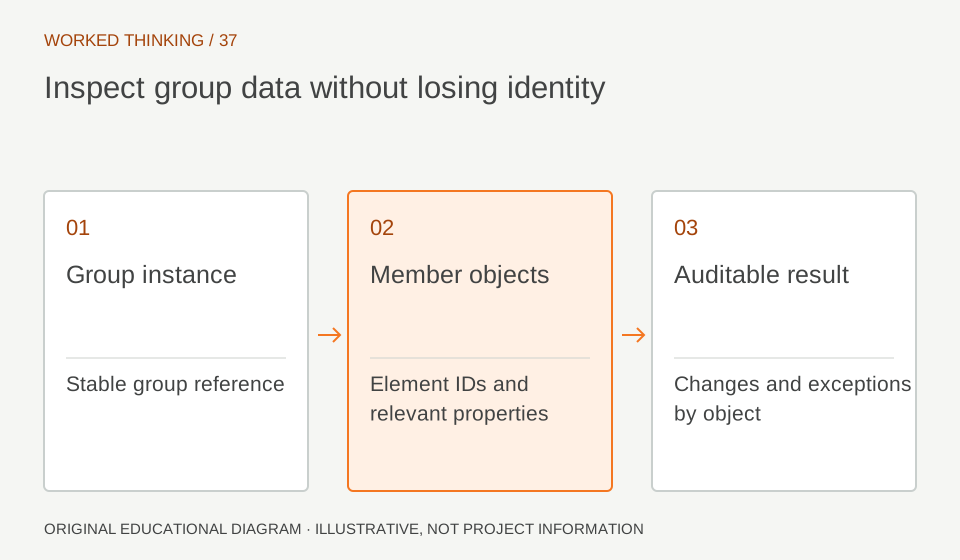
Read diagram notes
- Group instance
- Stable group reference
- Member objects
- Element IDs and relevant properties
- Auditable result
- Changes and exceptions by object
Prototype safely
Create a minimal model with representative groups, categories and exceptions. Run Dynamo on a copy. Inspect inputs, outputs and warnings; compare every value with the expected instance and member. Run a second time to see whether it duplicates values or overwrites manual changes. Scripts can vary with content, Revit and Dynamo versions. Record supported environments and packages. Avoid production runs until reviewed. Keep a backup and a stop condition. Success on one group does not prove all categories were handled.
Check identity and variation
Inspect repeated groups side by side. Confirm unique IDs and that nested members inherit or vary as intended. Look for duplicates, blanks and values on the wrong level. Use schedules as a second view and inspect samples in plan or 3D. If groups are edited independently, determine whether the change propagates or breaks repetition. Exceptions should be explicit. Preserve before-and-after evidence so reviewers can audit script behavior.
Govern the automation
Assign a script owner, reviewer and maintenance plan. Document inputs, parameter dependencies, categories and outputs. Require peer review before changes to scripts used on live projects. Store approved versions clearly. Define what happens with missing parameters, unsupported families or duplicate IDs. Scripts should report exceptions instead of silently skipping them. Dynamo can populate agreed metadata but cannot establish design adequacy. The structural lead remains responsible for engineering decisions.
Choose the simplest reporting path
Not every project needs automation. For a few groups, manual fields and schedules may be easier to maintain. Compare setup, testing and support time against manual work. Accept only after verifying group behavior, schedule completeness and repeat-run safety. State whether the output supports coordination, drawing or quantity. Revisit if group definitions or requirements change. Keep the workflow explicit to preserve trust. Add an exception report for elements that lack the expected identifier or carry duplicate values. Review these rows before using the result outside the modelling team. Keep script inputs and outputs visible enough that a reviewer can trace one value from source group to nested member. If the graph is updated, rerun the same fixture model and compare against its saved expected result. This makes maintenance a controlled change rather than a fresh guess.