

Why hierarchy matters
A model of a corridor, bridge, railway, and drainage system can contain vast numbers of objects spread across long distances. Without a logical structure, a reviewer may see geometry but struggle to identify which asset or section it belongs to. Spatial breakdown organizes the model into meaningful parent and child relationships.
In infrastructure, this may represent a route, facility, part, or segment rather than a building storey. The hierarchy should help teams navigate, filter, assign responsibility, and relate information to delivery packages.
Design the breakdown around decisions
Consider a hypothetical road scheme with two interchanges, retaining walls, culverts, and a short bridge. A useful structure might let a user isolate one interchange, inspect its drainage, or report quantities by construction section. The hierarchy should reflect stable project concepts such as asset boundaries, chainage ranges, and contract lots.
Avoid copying an office folder structure that says little about the physical network. Ask survey, design, construction, and asset stakeholders what location breakdown they will actually use.
Define the required containment and aggregation relationships against the selected IFC schema and receiving use. Do not apply a universal one-parent rule to every relationship or object type.
Keep physical and administrative groupings clear
A spatial structure describes relationships in the model; delivery packages and work packages may be different concepts. One bridge can be constructed under several packages, and one package can cross multiple assets. Do not force schedule or contract groupings into a spatial hierarchy if that distorts the asset representation.
Use properties or separate relationships where appropriate, and define the distinction in project guidance. Clear semantics allow a recipient to query by location without assuming that the hierarchy is also a construction sequence.
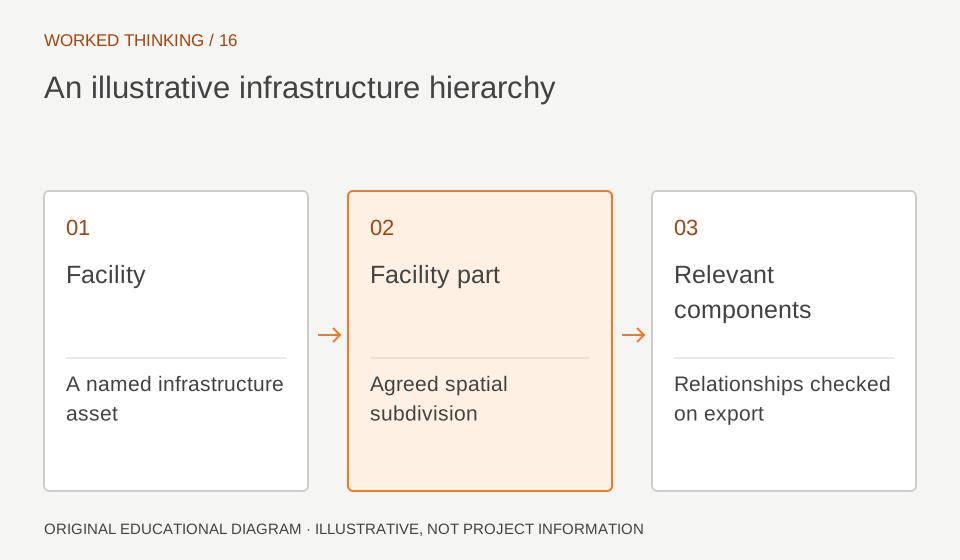
Read diagram notes
- Facility
- A named infrastructure asset
- Facility part
- Agreed spatial subdivision
- Relevant components
- Relationships checked on export
Use stable identifiers and names
Names such as 'Part 1' or 'North Section' are ambiguous when the model grows or teams change. Agree unique identifiers, naming rules, and boundary definitions. For linear assets, chainage ranges need a stated direction, datum, and treatment of overlaps at interfaces.
A hypothetical bridge approach could be assigned to the road corridor or the bridge asset depending on project convention; either choice can work if it is consistent and documented. Include a mapping between model breakdown and the project's asset register where one exists.
Test navigation and assignment
Create a sample federation and ask users to locate representative components without relying on authoring software filters. Can they isolate the right route section, bridge part, or utility area? Can they assign an issue to the responsible team based on the hierarchy? Verify that object relationships survive IFC export and import.
A visually nested browser tree is not enough if the underlying structure is flattened or inconsistent. Check a few objects at interfaces, where hierarchy mistakes commonly surface.
Handle boundaries and shared objects
Some components sit at asset or section boundaries: a culvert outlet, expansion joint, or utility crossing may serve more than one segment. Decide which parent owns it, whether it can be associated with multiple contexts, and how reports avoid double counting. Record the rule so quantity and maintenance workflows do not make conflicting assumptions.
If a schema or tool does not support the desired relationship, use a controlled property or exchange convention and mark the limitation.
Align hierarchy with information needs
Different stages may need different levels of breakdown. A design review may work at asset level, while construction planning needs work-front segmentation and maintenance needs individual maintainable units. Preserve a stable core and add stage-specific properties or references instead of constantly restructuring the whole model. Test how queries and reports behave when the hierarchy changes.
A breakdown is useful when it makes information easier to find without hiding cross-asset dependencies.
Treat the hierarchy as a quality check
Unexpected spatial assignments can expose modeling problems: a pier associated with the wrong bridge part, a drainage object assigned to an adjacent section, or a component lacking any parent. Build checks for required relationships and review exceptions. Use spatial structure to support traceability, not to infer that the geometry is correct.
Location assignment should be validated against alignments and survey references, and engineering content should still be reviewed by the responsible discipline. Coordinate the breakdown with information recipients early. A client asset team may organize by maintainable asset, while a contractor may plan by work front.
Provide a crosswalk instead of forcing either group to adopt a hierarchy that does not suit its work. Keep the mapping versioned, and test a sample query at each handoff. This protects data usability when responsibilities change between design, construction, and operations.