

Separate the coordinate questions
A Revit model appearing in the right place answers only whether it lines up in the current view. It does not prove that its project coordinates, survey coordinates, or relationship to other models are correct. Treat these as separate checks. Project coordinates help teams work from a useful building datum. Survey coordinates relate the project to a site reference. Shared positioning lets linked files agree where they belong. Autodesk describes shared coordinates as a way to establish file positions relative to each other. BIM Pure’s coordinate guide also distinguishes the Internal Origin, Project Base Point, and Survey Point. Agree what each point means before editing it; familiar icons do not make their values self-explanatory.
Choose one authority
Name the file that defines the shared position for the project. It may be a site or civil model backed by survey information. The authority should state coordinate system, units, north reference, vertical datum, and at least two checkable control points. Do not let several discipline models independently invent locations and then reconcile them by eye. Autodesk advises deriving shared coordinates from one file and passing the relationship on with acquire or publish workflows. Record the authority and the date or revision of its survey basis in the coordination plan. If the survey is superseded, communicate which issued models need a new check.
Keep a sensible working datum
Keep the building model near a useful local origin for authoring and analysis. Choose a Project Base Point meaningful to the team, such as a grid intersection, and document the elevation convention used by levels. Avoid shifting building geometry just to make large survey values convenient. Establish the relationship between the local model and site authority through the agreed workflow. The Survey Point’s displayed position alone does not prove that every linked file shares the intended transform: models may align because someone manually moved them even while coordinate values are unreliable. Treat the local model and site location as related records with a controlled transform.
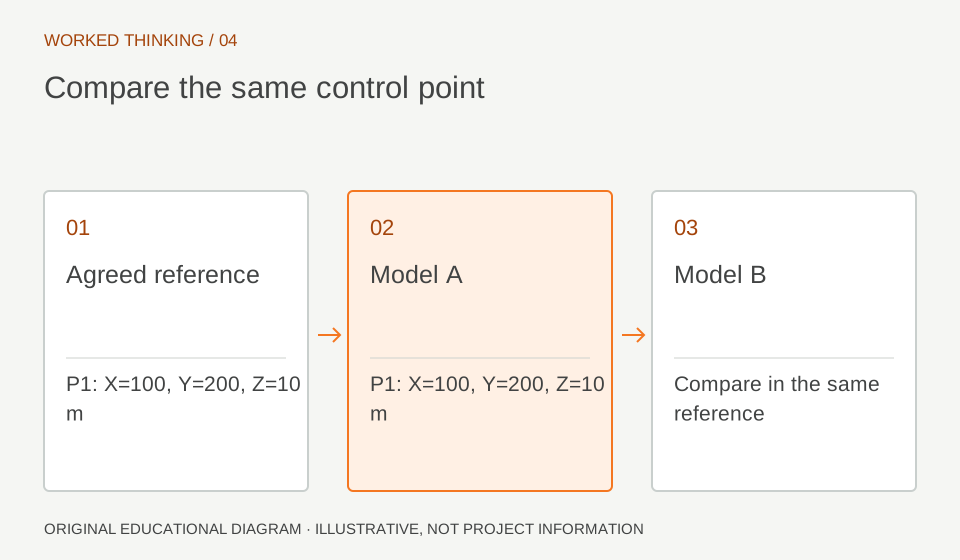
Read diagram notes
- Agreed reference
- P1: X=100, Y=200, Z=10 m
- Model A
- P1: X=100, Y=200, Z=10 m
- Model B
- Compare in the same reference
Acquire in a controlled copy
In a test copy, link the authority and use the agreed acquire or publish method. Check whether the model moved, whether True North changed as expected, and whether Project Base Point and Survey Point values match the written convention. Pin a link after positioning it and avoid casual dragging. Where projects use multiple sites, name the intended shared site and record which model owns it. BIM Pure’s practical guidance emphasizes care around origin points and explains that linked files may be positioned by internal origin or shared coordinates. Select the method that matches the established setup. Button sequences can vary with software version and cloud collaboration constraints, so verify the current workflow before changing a live model.
Prove it with independent points
Choose two or more known points far enough apart to reveal rotation as well as translation. Compare the same physical locations in authority and discipline models using survey coordinates or spot coordinates. Check elevation against a benchmark too. One point may appear right while the model is rotated around it or has the wrong vertical datum. Reload or relink the test model by shared coordinates and confirm it lands without nudging. Save source filename and revision, method, control-point values, measured differences, and reviewer. Ask the surveyor or project BIM plan to define acceptable differences; there is no universal tolerance for every scale and use.
Test the actual exchange
Before issue, test the coordinate-dependent deliverable that matters: linked model, DWG, or IFC. Export settings can use different coordinate bases, so do not infer the export result from an aligned Revit view. Open the exchange in the receiving application and compare the same control points. If the check fails, identify which transform or datum differs, correct the source relationship, and repeat the recipient-side check. Patching each recipient model separately creates conflicting truths that become difficult to maintain. Include this test in the issue checklist and retain the evidence with the model revision so the next coordinator can reproduce it.