

Start with a question
Begin with a question someone must answer from the model. In a hypothetical two-storey concrete frame, a reviewer may need to filter columns by level, identify the approved member mark and see whether a connection remains unresolved. Each field should have one owner, one definition and one expected use. If a value has no consumer, it may not belong in the project schema. Write the definition in ordinary language before opening Revit. State whether it describes a type or an occurrence, whether a blank is permitted, and who may change it. This prevents two teams from entering similar-looking text with different meanings. A useful contract says what the field means, when it is populated and which deliverable depends on it.
Choose the parameter class by behavior
Revit has built-in, project, family, shared and global parameters, and they do not behave identically. A family parameter may drive geometry or describe a family-specific property. A project parameter can be bound to selected categories for schedules. A shared parameter has a stable definition that can support reuse across projects and tags. Built-in fields come from Revit; global parameters can relate values within a project. Choose by required behavior, not by label. For example, a project review state used in a framing schedule may be project-bound, while a plate thickness that controls family geometry belongs in the family. If a mark must appear in a tag across files, evaluate a shared definition. Verify exact behavior in the project’s Revit version before standardizing.
Decide type versus instance
A type value describes members intended to share it; an instance value belongs to an individual placed element. This distinction affects both editing effort and schedule credibility. A section series may suit type-level storage if every instance of a type shares that designation. A review note may vary by occurrence. Using instance fields for values intended to be uniform lets identical members silently diverge. Storing a unique pour identifier at type level can force unnecessary type variants. Test two repeated members and one deliberate exception. If the exception cannot be represented cleanly, revisit the contract. Explain whether copying, changing type or replacing a family affects each field. This gives model authors a predictable way to populate information.
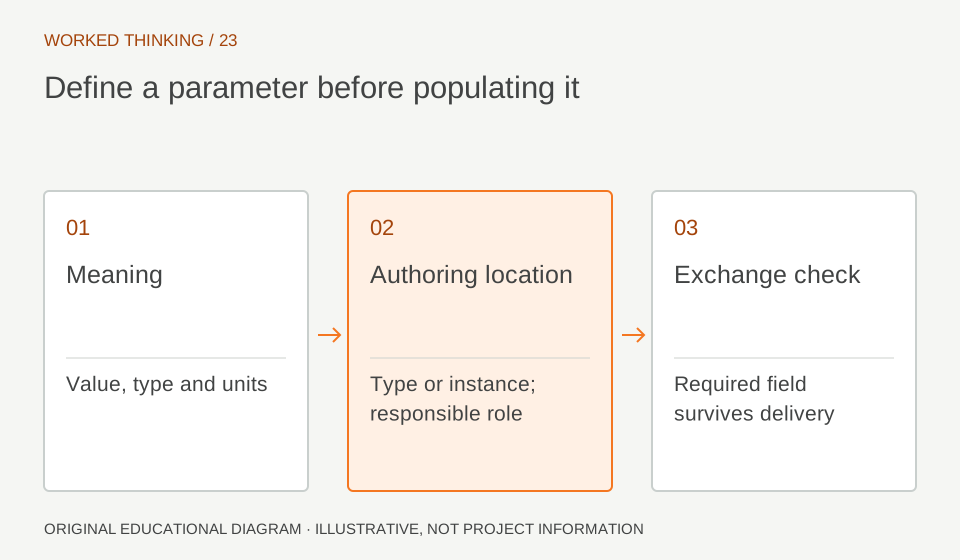
Read diagram notes
- Meaning
- Value, type and units
- Authoring location
- Type or instance; responsible role
- Exchange check
- Required field survives delivery
Govern shared definitions
Shared parameters depend on a definition file. Treat that file as a governed project asset: assign an owner, retain a controlled copy and avoid recreating fields from memory. Two fields with identical display names are not necessarily the same definition. Use naming and description conventions so users can spot duplicates and understand intent. Before distributing a family, inspect its parameter list. Does every field have a clear name and appropriate data type? Is it assigned to the intended category? Can the expected schedule or tag use it? Remove obsolete fields through a managed change process. The aim is not the shortest possible list; it is a list in which each field has a clear role and predictable behavior.
Pilot the schedule and tag
Create the schedule or tag that will consume the data while the schema is still small. Populate a few known cases: a typical member, a repeated type, a deliberate exception and an intentionally incomplete item. Check sorting, filtering, blank handling and whether users can edit the value where intended. Verify the output on a sheet or export if that is the real deliverable. In the frame example, a schedule filtered to “Open” should show the unresolved column and no approved members. Change a test value and observe whether the row moves as expected. This catches category-binding and parameter-class mistakes before loading dozens of families. Keep a known-good sample file for future acceptance checks.
Name owners and transitions
A field’s meaning can change as a project advances, so specify who enters it and when. A modeller may create an initial mark; a checker may record review state; a coordinator may populate a package identifier. Do not let all parties edit one field without a handoff rule. If a field is temporary coordination data, decide whether it is cleared, retained or archived at issue. Use controlled values where practical. Free text can vary between “In review,” “Reviewing” and “Under Review,” fragmenting filters. A controlled list reduces that drift if its values are maintained. Record meanings, allowed values and role ownership in the BIM execution material or a short data dictionary.
Accept the schema within limits
A parameter contract improves information consistency; it does not validate structural design. A scheduled section name or review state cannot establish capacity, reinforcement adequacy or code compliance. Geometry-driving family parameters require separate engineering checks and do not prove that a member matches approved calculations. Accept the schema only after checking representative families, a working tag, a working schedule and the agreed export. Record the Revit version and template revision used. If receiving software is involved, inspect a sample there too. Report data completeness separately from technical approval. The result is a practical information convention, not a claim that every future family will behave correctly without review.