

Inventory dependencies
List models, links, families, parameter definitions, schedules, templates, add-ins, scripts and consultant deliverables. Identify version-sensitive parts and owners. A small authoring-file change can affect links or sheets. Choose a representative copy and record current output: framing plan, column schedule, section, coordination view and key analytical or reinforcement documentation. This baseline lets the team compare after upgrade. Opening a file is not proof that the workflow migrated successfully. Include the model-checking rules and any external process that depends on schedule fields.
Read release notes in scope
Release articles summarize selected changes and may focus on general or architectural workflows. A dated overview may include link or group tagging and filter changes, but that does not establish how every structural project behaves. Confirm exact features in official documentation and test them. For each candidate, record task, categories, constraints and dependencies. If structural behavior is not covered, do not fill the gap with assumptions. Ask internal support or consult authoritative documentation. Keep dated release facts separate from recommendations for your office.
Test documentation output
Open the same views and sheets in the upgraded copy. Check line weights, tags, dimensions, crop regions, filters, templates, schedules and placement. Structural sections and details are sensitive to annotation changes. Compare PDF output at actual page size. For schedules, compare row counts and representative values. Verify marks and labels resolve correctly. Record differences with screenshots and locations. Determine whether a difference is intended, a template issue or migration defect before revising standards.
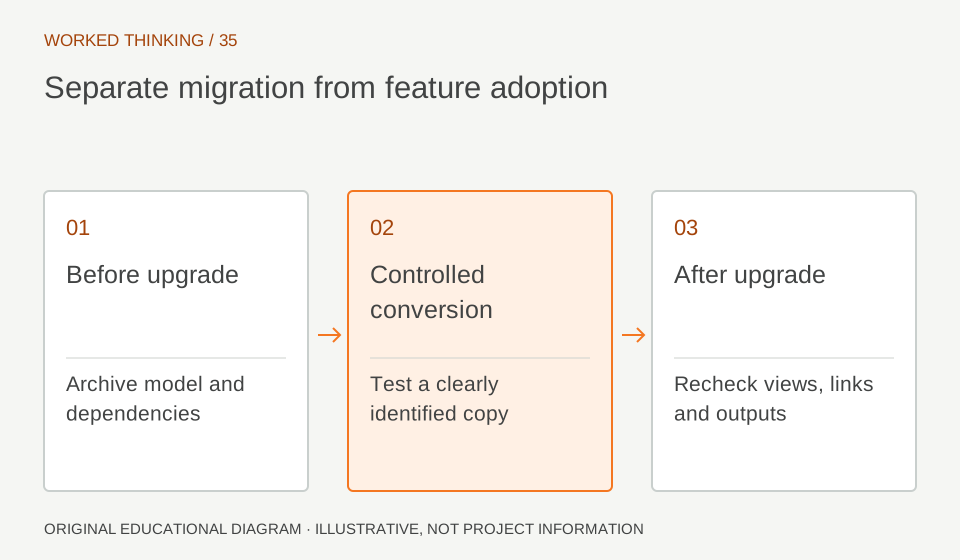
Read diagram notes
- Before upgrade
- Archive model and dependencies
- Controlled conversion
- Test a clearly identified copy
- After upgrade
- Recheck views, links and outputs
Check families and automation
Test representative structural families, including custom sections and nested content. Exercise type and instance parameters and confirm tags and schedules. Run scripts and add-ins in a safe copy. Check compatibility statements for critical tools. Compare automated checks before and after using known expected results. Changed API or category behavior can affect a rule. Do not run unreviewed automation on production. Assign script ownership and record versions. Repeat the test when a critical plugin or family library changes.
Coordinate links and exchanges
Map each discipline model’s version and exchange protocol. Confirm links can be maintained and consultants can deliver agreed formats. Test incoming and outgoing samples, inspecting position, identity and key data in the receiving application. If a consultant cannot use the new version, agree an exchange plan and avoid silent parallel copies. An export completing does not prove downstream usability. Compare a defined sample and record losses or conversions.
Make a migration decision
Weigh benefit against disruption, training and support. A project may defer until a milestone, or use a new release on new work while existing work stays on its approved version. Align with client requirements and company policy. Assign a migration owner and recovery steps before production conversion. Confirm backup and authorization. Define completion as model, links, sheets, schedules and exchanges checked, not merely a successful save. Identify the date when all team members must stop editing the old model.
Update standards with evidence
If practice changes, update the template, library and training notes. Include tested version, tasks, limits and checks. Retain screenshots or a sample file. A feature improves capability but does not approve design or certify documents. The engineer and checker remain responsible. Revisit if service updates, add-ins or client requirements change. Version records help future teams understand the model environment. Preserve a migration checklist that lists who owns each critical link, family library, script and sheet check. Mark each item complete only when its representative sample has been inspected. For a deferred project, explain how files will be exchanged with teams that remain on the earlier version. The operational decision should be legible to a new project lead, not only to the person who ran the upgrade test.