

Start from a review question
A filter should answer a structural reviewer’s question: which members are provisional, or which still need an identifier? Avoid creating filters just because a field exists. Use a hypothetical frame with a controlled Review State field. Agree values and meanings, then create one filter for one state. Decide whether to recolor, alter linework or hide elements. Hiding is powerful and risky; use it only when the view purpose supports it. A simple question makes the rule and expected appearance easier to test.
Check field and category
A rule-based filter depends on categories and populated fields. Confirm target structural categories are included and the parameter is bound consistently. Test one element per allowed value and one blank. Decide how missing data should appear. Place a known member and inspect its properties, then verify that the filter catches it. Families using another category or parameter definition may fall outside the rule. Do not generalize from one column to all content. Include representative framing, columns and foundations where they are in scope.
Apply filters intentionally
A project filter has no visual effect until applied to a view or template. Assign it only where the review question matters. A layout plan, coordination view and issue sheet may need different rules. Keep a small register of review views and controlling templates. If a filter is widely applied, test several view types. A template change can affect many views. Name filters by purpose and include a legend where color conveys status, especially for exported or printed views.
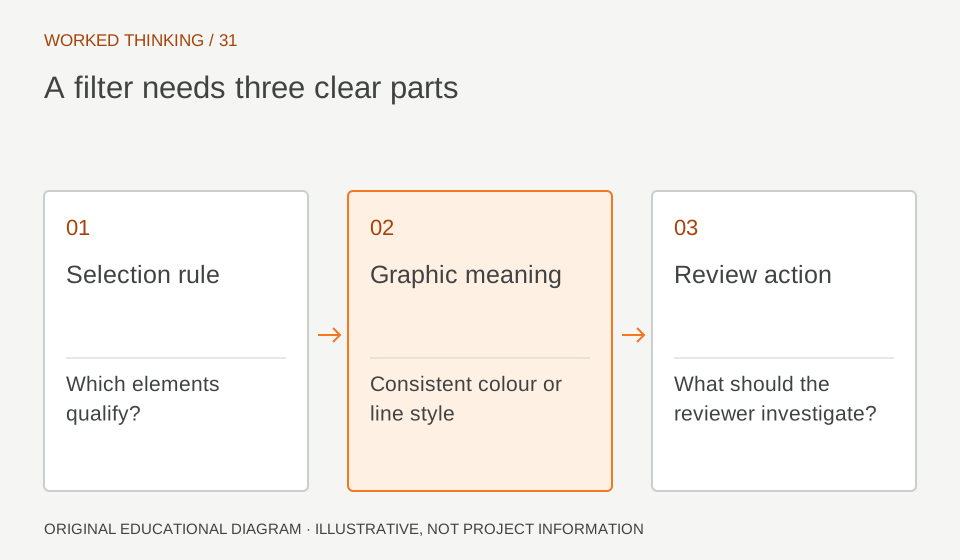
Read diagram notes
- Selection rule
- Which elements qualify?
- Graphic meaning
- Consistent colour or line style
- Review action
- What should the reviewer investigate?
Use templates consistently
A view template can apply filter settings to a family of review views. Identify controlled properties and assign an owner. If users may override a filter in a specific view, document the exception; otherwise equivalent views can tell different stories. Test on new and existing views. Confirm intended graphics and unrelated visibility settings. Check monochrome printing if relevant. Color alone may not communicate status reliably. Use line patterns or textual legends where needed while preserving legibility.
Watch for false confidence
A colored member is not necessarily approved or correctly designed. The filter reflects only the value and rule it reads. If users set “Reviewed” without following the project process, the view creates false confidence. Define the status owner and evidence required. A filter may miss an element because of category, phase, link visibility or blank data. Compare filtered and unfiltered views, then inspect expected elements. Correct the data or rule and repeat. Visual encoding aids review; it does not replace engineering judgment.
Use selections sparingly
A saved selection can represent a one-off set without a reliable parameter rule, but it can become stale as elements change. Record why it exists and who maintains it. Prefer a rule-based filter for recurring conditions when the model has a stable field. For a temporary transfer-zone review, verify membership before each issue. Do not treat an old selection as proof that all current members are included. Pair important selections with an element list or schedule that supports reproduction.
Accept and maintain
Capture the rule, categories, templates, expected appearance and test elements. Recheck after parameter, family or template changes. Assign a view owner. Close findings by checking both data value and resulting graphic. Where filters support engineering review, the discipline lead confirms meaning and scope. This keeps visible information separate from the decision that the structural solution is acceptable. If the workflow is shared with consultants, verify the graphic survives the agreed export or PDF process. Include a negative test: create an element with an unexpected value and confirm that it is either highlighted as an exception or remains visible in the unfiltered view. This tests the failure mode, not only the intended state. At each issue, sample elements near the edge of scope, such as a linked object or a family with a different category. Record discrepancies and update the filter only after confirming the parameter definition and review rule.